Support engineering article
Support investigation checklist for faster technical answers
A support investigation checklist should help agents gather evidence, narrow likely causes, and send cleaner escalations on technical tickets.
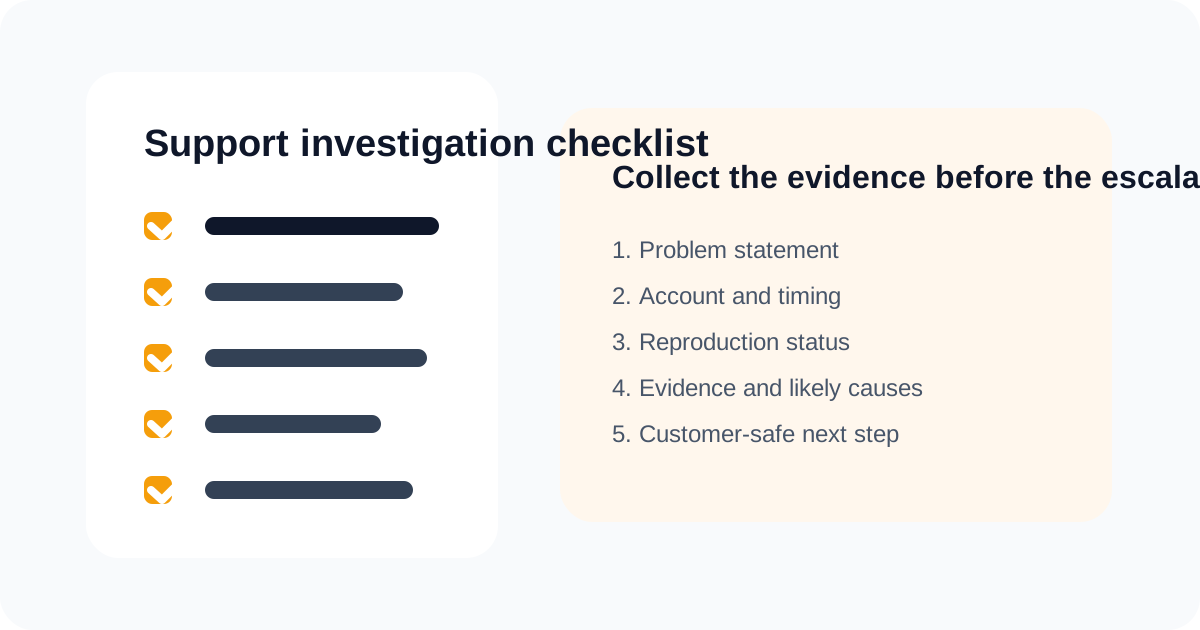
Most support teams do not have an investigation problem because agents are lazy or unskilled. They have an investigation problem because every technical ticket starts from a blank page. That blank page creates the same failure pattern over and over: vague problem statements, broad data gathering, thin escalations, and engineering interruptions that should have been avoided.
The better question is not whether support has access to enough tools. It is whether support has a repeatable way to decide what evidence matters before the case turns into another internal thread. That is what a real support investigation checklist is for.
What is a support investigation checklist?
A support investigation checklist is a structured sequence of checks that helps an agent turn a messy customer report into an evidence-backed case. It is not a script for talking to customers. It is a framework for deciding what the team should verify before answering or escalating.
If a checklist only captures admin details, it will not improve support quality. The useful version forces the case into a form another operator can understand and continue.
Why technical tickets go wrong before the real investigation even starts
Most technical tickets do not fail in the log search. They fail earlier.
They fail because:
- the problem statement is vague;
- the account or time window is unclear;
- the team has not separated evidence from interpretation;
- the escalation request is really a request for someone else to begin the investigation.
That is why teams can feel busy without feeling effective. The work is happening, but the case is still unstable.
A good checklist fixes that by enforcing sequence. It asks the team to define the claim, anchor the context, gather only the evidence needed to test likely explanations, and then choose a route with intention.
That sequence is also how reliability teams teach troubleshooting. Google's SRE chapter on effective troubleshooting frames debugging as a process of forming hypotheses, checking telemetry and logs, and testing what is actually happening in the system. Support teams do not need to copy SRE rituals wholesale, but the reasoning pattern is the same.
Step 1: write the problem statement like an operator
The first line in a technical case should answer one question clearly: what exactly was supposed to happen, and what happened instead?
That sounds obvious. It is not common.
Weak problem statements sound like this:
- "sync issue"
- "billing page broken"
- "customer cannot use integration"
Strong problem statements sound like this:
- "New Salesforce contacts created after 09:30 are not appearing in the downstream sync target."
- "Workspace admins see a blank billing screen after the role migration change."
- "Webhook deliveries for one tenant are retrying repeatedly and returning 503 responses."
That difference matters because the second version tells the investigator what to verify. The first version only tells them there is frustration in the queue.
Step 2: anchor the operational context
Once the problem is clear, the next job is to pin the case to the product with enough detail that another person can find the same issue quickly.
That usually means collecting:
- account, workspace, or tenant identifier;
- user identifier if relevant;
- environment, plan, or integration context;
- approximate time window;
- known change signals such as deploys, migrations, or permissions updates.
This is where many teams lose time. They ask for tools, dashboards, and access. What they really need first is a stable case anchor.
For integration-heavy products, the anchor often lives in delivery records rather than the ticket text. GitHub's documentation on viewing webhook deliveries is a useful example: the useful evidence is not "the webhook failed" in the abstract, but the delivery ID, timestamp, request payload, response, and retry context.
| Field | What good looks like | Why it matters | Common failure mode |
|---|---|---|---|
| Problem statement | One sentence comparing expected and actual behavior | Anchors the case immediately | Ticket language stays generic or emotional |
| Identifiers | Account, workspace, user, or integration reference | Lets the next owner locate the issue fast | Support asks engineering to find the basics |
| Time window | Specific timestamp or bounded date range | Narrows events and logs | Evidence review becomes too broad |
| Evidence collected | Specific events, logs, screenshots, or state checks | Separates fact from suspicion | Escalation contains opinions only |
| Current hypothesis | Most likely cause plus open uncertainty | Improves routing and next-step quality | Case moves forward with no working theory |
Framework table for escalation readiness and investigation consistency.
Step 3: bound the issue before you try to explain it
Not every case can be reproduced. Every case does need boundaries.
Before deeper investigation, support should know:
- whether the issue is happening now or happened once;
- whether it affects one customer or several;
- whether it maps to a specific workflow or action path;
- whether support can confirm the behavior from internal signals.
Bounding the issue is what keeps the investigation from becoming a scavenger hunt.
This is also where a lot of AI support tooling gets evaluated poorly. Teams ask whether the system can draft replies. The more important question is whether it helps the agent narrow the problem space faster.
Step 4: gather the minimum useful evidence
Evidence gathering is where many teams overcorrect. They move from too little structure to too much data.
The goal is not to collect everything that might matter. The goal is to collect enough facts to confirm or reject the most likely explanations.
That usually means checking:
- recent account or configuration changes;
- product events tied to the reported behavior;
- known incidents or recent deploys;
- permissions, plan, or environment state;
- prior cases with the same shape.
Intercom and Zendesk both talk about speed and AI-assisted support productivity. That is useful. The harder operator question is whether the workflow helps support collect better evidence before the answer is written. That is the gap we care about more at Lumen.
This is why generic "collect logs" advice is not enough. GitHub's webhook troubleshooting guide breaks failures into concrete states such as missing deliveries, connection failures, timeouts, invalid responses, and signature verification errors. That is the level of evidence structure support teams need when a ticket is technical.
Step 5: write the current hypothesis before you escalate
Teams often avoid writing a hypothesis because they do not want to be wrong. That is a mistake.
The investigation does not need perfect certainty before routing. It does need a best current explanation.
Every good technical case should carry:
- the most likely cause right now;
- alternate explanations still in play;
- the missing fact that would settle the uncertainty.
This is the difference between an investigated case and a forwarded case. The receiving team does not need guaranteed truth. It needs the work already done.
Step 6: decide whether the case actually needs escalation
A checklist should not end with documentation. It should end with a decision.
Most technical tickets fall into one of four outcomes:
- explainable behavior that support can clarify;
- configuration or user error that support can correct;
- temporary platform issue that needs monitoring and communication;
- real defect or infrastructure issue that should escalate.
That decision point is where support autonomy is either built or lost.
If every ambiguous case turns into an escalation, the checklist is decorative. If the checklist helps support close more technical tickets with confidence, it is doing real work.
| Case type | What the checklist should reveal | Best next action | When engineering should join |
|---|---|---|---|
| Expected behavior | No product fault, but confusing behavior | Customer explanation with evidence | When the product interpretation is still unclear |
| Configuration issue | Setup, permissions, or workflow mismatch | Guide the customer or internal owner to correction | When support lacks the access to complete the fix |
| Temporary platform issue | Known outage, transient failure, or unstable dependency | Communicate status and monitor | When incident handling or wider product coordination is needed |
| Product defect | Behavior does not match expected system logic | Escalate with packet, evidence, and impact | Immediately after defect likelihood is credible |
Framework table for routing decisions after technical investigation.
The checklist should feed the larger support operating system
A checklist is useful on its own. It becomes much more valuable when it is wired into the rest of the support process.
That means it should feed:
- the L2 support process for technical support teams;
- the technical support escalation process for complex tickets;
- the broader AI workflow on Build AI support workflows that resolve tickets faster.
This is one reason technical support content often feels repetitive on competitor blogs. Many posts describe better support in abstract terms. Fewer explain how the investigation layer should be structured before the handoff happens.
That structural layer is where support teams either gain autonomy or keep depending on ad hoc heroics.
What teams get wrong when they adopt a checklist
The common failure modes are predictable:
- the checklist becomes too long to use consistently;
- agents fill fields with conclusions instead of evidence;
- the checklist is treated like compliance instead of reasoning support;
- nobody reviews whether it improved escalation quality.
A good checklist should lower cognitive load. It should not feel like another form the team resents.
How to introduce a checklist without slowing support down
Start narrow.
Pick one ticket category that repeatedly creates confusion, rework, or engineering pulls. Then:
- define the five to seven fields that must exist before escalation;
- review a week of tickets against that template;
- compare escalation quality before and after;
- remove anything the team never actually uses.
That is how you build a checklist that survives contact with real support operations.
FAQ
What should be on a support investigation checklist?
At minimum: a clear problem statement, identifiers, time window, verified evidence, current hypothesis, and explicit next action. If any of those are missing, the case is usually not ready for a strong handoff.
How is a checklist different from a ticket template?
A checklist defines the thinking sequence. A template defines how the final case is recorded. The checklist helps support do the investigation. The template helps the team communicate it.
Should every technical ticket use the same checklist?
The core structure should stay consistent, but high-volume ticket classes may need specialized evidence fields. The goal is standard reasoning, not one rigid form for every case.
How does Lumen use this idea differently?
We care about the checklist because it makes the investigation layer operational. If support can gather better evidence earlier, AI becomes more useful, escalations get cleaner, and engineering interruptions fall for the right reason.
Related reading
Continue through the archive
Adjacent articles that expand the same operating model from a different angle: workflow design, investigation quality, and escalation control.
May 15, 2026
AI support metrics that actually matter
Most AI support dashboards reward speed, containment, and cost reduction. The better scorecard measures resolution quality, escalation health, and support autonomy.
May 14, 2026
Support operations for technical tickets
Support operations for technical tickets should define queue design, investigation workflow, escalation quality, and feedback loops that reduce repeat effort.
May 13, 2026
Technical customer support troubleshooting without engineering bottlenecks
Technical customer support troubleshooting works best when support translates symptoms into evidence-backed case decisions before escalation.