Support engineering article
Build AI support workflows that resolve tickets faster
Learn how high-performing support teams build AI-assisted workflows that reduce investigation time without sacrificing answer quality.
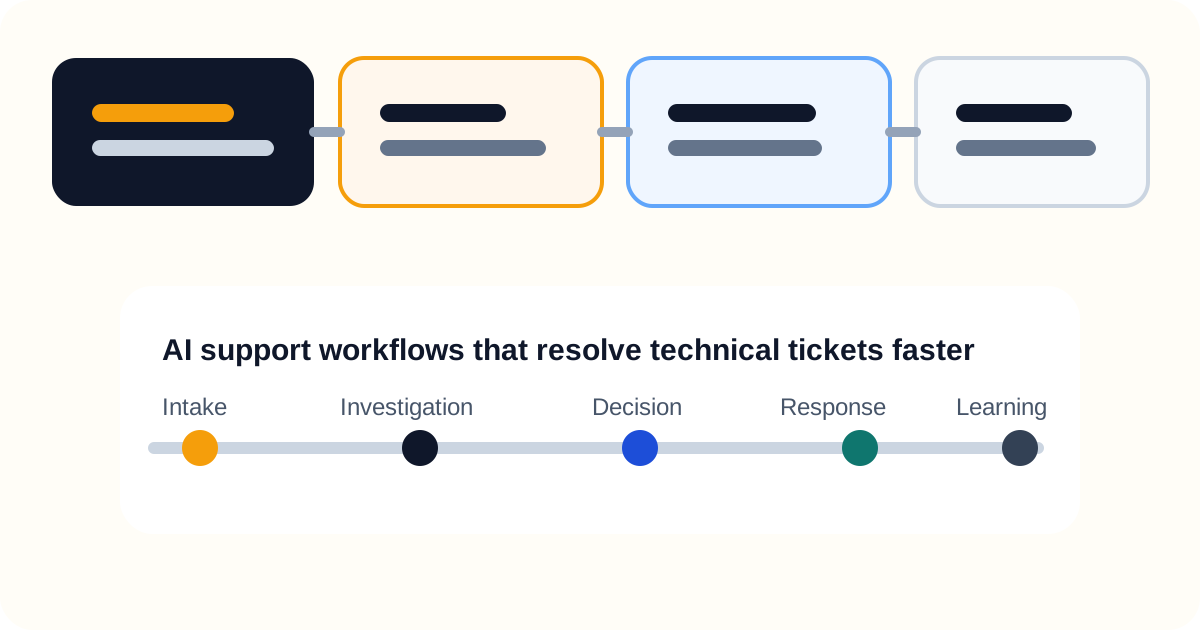
Most AI support workflows are built backwards. They start with response generation because that is the part that demos well. The better workflows start with investigation because that is the part that actually determines whether a support team can resolve hard tickets faster.
The question is no longer whether support teams should use AI. Intercom, Zendesk, and Ada have already made that debate feel settled for most operators. The real question is which workflows help support get to the truth faster instead of just producing a faster first reply.
What is an AI support workflow?
An AI support workflow is the full operating path through which a support team uses AI to interpret a case, gather context, decide what is true, respond appropriately, and improve the next similar case. It is not just a chatbot flow or a macro generator.
If the workflow stops at response drafting, it is not really solving support. It is optimizing the surface of the interaction while leaving the expensive part of the work unchanged.
Why most AI support workflows underperform
Most AI support workflows underperform because they are built around the easiest metric to improve: first response speed. That is useful, but it is not the same thing as helping a support team resolve the tickets that consume the most time and organizational attention.
The expensive support work is usually not the sentence. It is the investigation that has to happen before the sentence can be trusted.
This is where a lot of competitor content still flattens the problem. Intercom is strong on the idea of AI-first support. Zendesk is strong on broad service automation and reporting. Ada is strong on automated resolution narratives. Those are all real parts of the category. But if the workflow cannot answer why a behavior happened in the product, why a sync failed, or whether a permissions change explains the issue, the support team still ends up interrupting engineering.
That is the pattern we care about more at Lumen. Not whether the first reply is faster in isolation, but whether the support system becomes more autonomous on the cases that used to trigger escalation.
The five layers of a strong AI support workflow
The best AI support workflows usually move through five layers. That is where most of the real operating leverage sits.
1. Intake normalization
The workflow should translate messy ticket language into a stable issue summary. That means extracting the user, workspace, account, environment, action attempted, expected outcome, actual outcome, and timing.
Without that step, every later action is built on a weak interpretation of the case. Good support workflows do not just summarize. They clarify what claim the team is actually investigating.
2. Investigation
This is the layer most teams still underbuild. The system needs access to the sources of truth that explain what happened: account state, product events, logs, recent configuration changes, known incidents, and prior similar cases.
The goal is not to fetch everything. The goal is to fetch the minimum evidence that can confirm or reject the most likely explanations. That distinction matters because support workflows get noisy fast when “more context” becomes an excuse for undirected searching.
3. Decisioning
Once the evidence exists, the workflow has to decide what kind of case this is. A strong system separates:
- expected behavior that needs explanation;
- user or configuration mistakes that need correction;
- product defects that need escalation;
- incidents that need communication and coordination.
This layer matters more than many teams expect. A lot of support pain is really routing pain wearing a product mask.
4. Response drafting
Only after the workflow has enough evidence should it draft the customer-facing answer. At that point, the model is useful because the hard part is no longer guesswork.
The best replies reflect what the investigation proved, what remains uncertain, and what the next action is. They are shorter, clearer, and more trustworthy because they come after reasoning, not before it.
5. Learning
Every resolved case should improve the system. Good workflows capture reusable investigation paths, new edge cases, escalation patterns, and examples of strong answers.
Without this layer, the workflow stays impressive in demos but stagnant in operations. The team keeps solving the same class of technical tickets from scratch.
Where AI support workflows create the most real value
The strongest AI support workflows do not just reduce typing. They reduce support dependence on engineering for routine investigation work.
That is the operational shift that matters:
- support spends less time waiting on internal threads;
- engineering receives fewer thinly packaged escalations;
- resolution time falls on technical tickets, not just simple tickets;
- leaders get a cleaner view of what is really a product issue versus a workflow failure.
This is why we keep pushing the investigation-first frame. It is also why Engineers keep getting pulled into support remains such an important cluster piece. Most teams do not have an AI problem first. They have an investigation-system problem.
The wrong way to evaluate an AI support workflow
The wrong way is to ask whether the workflow sounds smart. The wrong way is also to ask whether first response time improved.
Those signals matter, but they do not tell you whether the system can handle the hard cases. If you only optimize for those numbers, you end up with a workflow that performs beautifully on the easiest path and leaves the expensive path almost unchanged.
That is why teams should be skeptical of category narratives built mostly around:
- containment;
- response speed;
- deflection;
- broad AI ROI without workflow segmentation.
Those are useful indicators. They are not enough to tell you whether the support system became structurally stronger.
Which metrics actually show whether the workflow is working
If you are implementing AI support workflows, measure the workflow in parts rather than as one “AI success” number.
The most useful metrics usually include:
- time to first evidence;
- resolution time for technical tickets;
- percentage of escalations that lacked enough context;
- percentage of answers that required engineering follow-up;
- repeat investigation patterns worth productizing.
| Workflow Layer | Primary Metric | Secondary Metric | Failure Signal |
|---|---|---|---|
| Intake | Time to clear problem statement | Missing identifier rate | Cases move to investigation with vague summaries |
| Investigation | Time to first evidence | Evidence completeness rate | Agents escalate before any verified internal signal |
| Decisioning | Misroute rate | Repeat investigation rate | The same case type bounces between teams |
| Response drafting | Revision rate | Engineering follow-up rate | Fast replies still require technical correction |
| Learning | Workflow reuse count | Repeat case reduction | Resolved cases do not improve future handling |
Framework table for workflow design. These are recommended operating metrics, not published Lumen benchmarks.
These metrics are stronger than generic support automation metrics because they tell you whether the workflow changed the expensive work rather than just the visible work.
They also align directly with the scorecard logic in AI support metrics that actually matter. A workflow scorecard should tell you whether the system improved truth-finding, not just answer speed.
What separates a real workflow from an AI layer bolted onto support
This is the practical distinction most teams eventually run into.
A bolted-on AI layer typically:
- drafts responses;
- triages obvious questions;
- looks strong in the first minute of the interaction;
- hands off awkwardly when uncertainty appears.
A real AI support workflow:
- frames the problem clearly;
- gathers the right evidence;
- helps determine what category of issue the team is looking at;
- improves the handoff if escalation is still necessary;
- turns repeat patterns into reusable process.
That difference is the line between cosmetic support automation and genuine support-system improvement.
How to launch without creating another brittle layer
Most teams should not start with the broadest possible AI support program. They should start with one ticket class that already causes repeated engineering interrupts.
In practice, the fastest path usually looks like this:
- define a short intake schema for the case type;
- create a standard investigation path;
- document what evidence must exist before a reply is sent;
- define what must trigger escalation;
- review early cases manually until the workflow is stable.
That is a much better starting point than asking the model to “handle support” in the abstract.
This is also where Support investigation checklist for faster technical answers becomes useful. On launch day, the goal is not sophistication. The goal is operational discipline.
Why the workflow should feel more opinionated over time
A weak workflow behaves like a generalized assistant. A strong workflow behaves like a system that has learned what matters in a specific support environment.
Over time, a mature AI support workflow should:
- narrow its investigation paths faster;
- classify issues more accurately;
- produce fewer empty escalations;
- surface known patterns more confidently;
- make support less dependent on scattered tribal knowledge.
That is the compounding advantage. The team becomes more autonomous not because the AI became better at sounding helpful, but because the workflow became better at reaching the right answer.
FAQ
What is the most important part of an AI support workflow?
The investigation layer. If the system cannot gather and interpret the evidence behind the ticket, the rest of the workflow is mostly surface-level polish.
Why do many AI support workflows feel impressive but fail operationally?
Because they overoptimize for response generation and underinvest in routing, context, and evidence gathering. The workflow looks fast without making the hard work meaningfully easier.
Should support teams begin with a broad AI rollout?
Usually no. The safer path is to start with one technical ticket category that already causes repeated escalations, then build a narrow but disciplined workflow around that case type.
How is Lumen’s view different from generic AI support vendors?
We care less about whether the AI can produce a polished first reply and more about whether the workflow helps support teams investigate technical questions without dragging engineering into routine cases.
What should improve first if an AI support workflow is working?
Time to first evidence, escalation quality, and solve-without-engineering rates should move before teams get too excited about top-line automation metrics.
Related reading
Continue through the archive
Adjacent articles that expand the same operating model from a different angle: workflow design, investigation quality, and escalation control.
May 15, 2026
AI support metrics that actually matter
Most AI support dashboards reward speed, containment, and cost reduction. The better scorecard measures resolution quality, escalation health, and support autonomy.
May 14, 2026
Support operations for technical tickets
Support operations for technical tickets should define queue design, investigation workflow, escalation quality, and feedback loops that reduce repeat effort.
May 13, 2026
Technical customer support troubleshooting without engineering bottlenecks
Technical customer support troubleshooting works best when support translates symptoms into evidence-backed case decisions before escalation.